
If you have ever tried to stop doomscrolling on your iPhone, you have almost certainly used Apple's built-in Screen Time feature. And if you are like most people, you probably gave up on it after a week.
A quick glance at the Apple Community forums reveals the exact same frustration from thousands of users: "It is ridiculously easy to bypass any of the default screen time controls. Am I missing something here?"
Because of this frustration, millions of users have turned to third-party app blockers like Opal, Freedom, and Manaya. But what actually makes these apps different from the free tool Apple already provides?
Let's break down the technical reality, why native tools fail, and how the right app fixes the escape hatch.
The "Under the Hood" Reality: Apple's Family Controls API
Here is the secret that most app blockers don't advertise: almost all modern third-party blockers on iOS use the exact same blocking engine as Apple Screen Time.
Due to Apple's strict privacy and security rules, a random app you download from the App Store cannot just take over your phone and block other apps. To make app blocking possible, Apple released a developer framework called the FamilyControls API.
This means that whether you are using Apple's native Screen Time or a premium third-party blocker, the actual mechanism hiding your apps from the screen is identical.
So, if the engine is the same, what are you actually paying for?
Why Apple Screen Time Keeps Failing You
The primary difference between Screen Time and a third-party app blocker is the UX (User Experience) of the escape hatch.
Apple built Screen Time primarily for tracking usage and basic parental controls, not for breaking deep behavioral addictions in adults. When your daily time limit runs out, Apple presents you with a massive, frictionless button that says "Ignore Limit for Today".
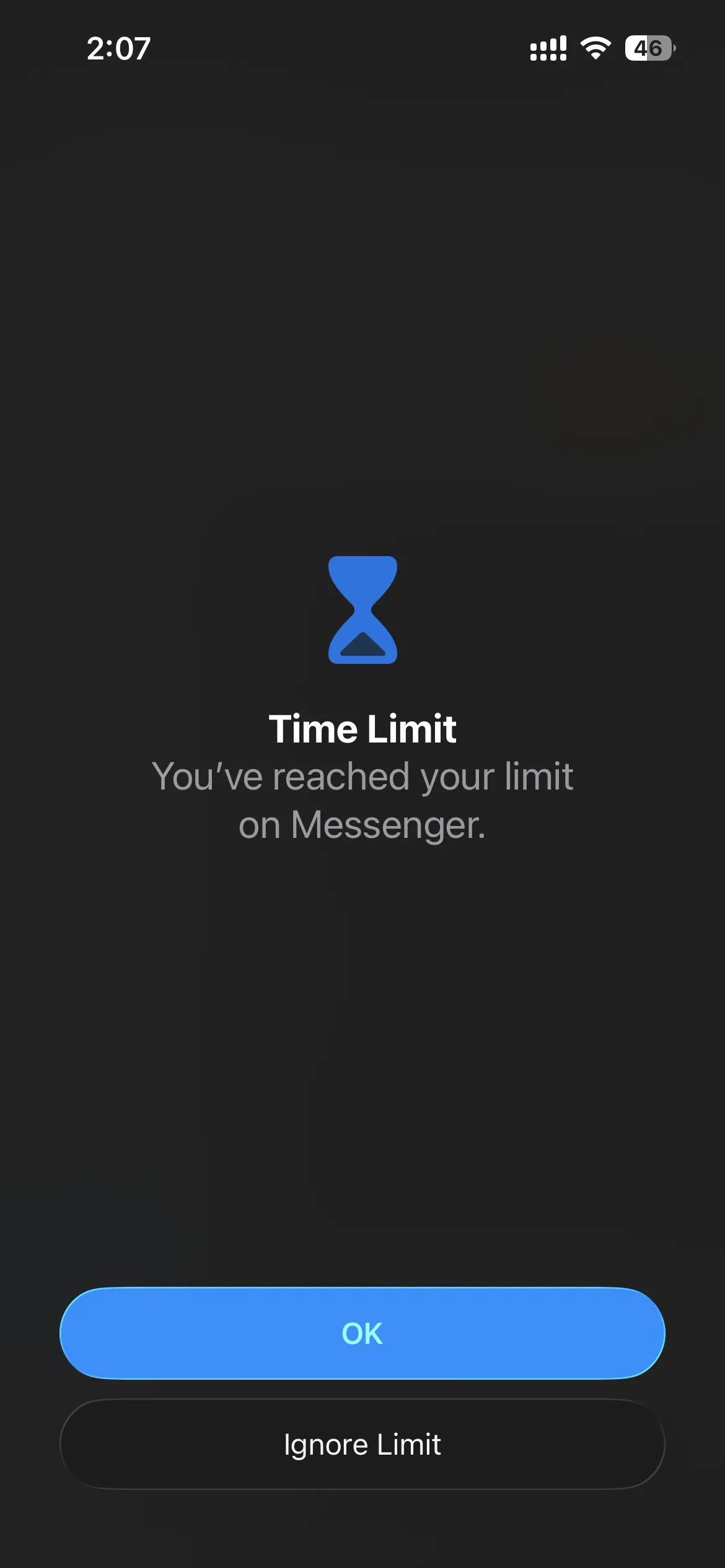
When your brain is in the middle of a dopamine loop and begging for one more scroll, you are going to tap that button. It requires zero willpower, zero waiting, and zero reflection. It is the equivalent of putting a padlock on the cookie jar but leaving the key permanently taped to the lid. You can read more about why Screen Time limits fail here.
The Weakness Every Third-Party Blocker Shares
Third-party blockers exist entirely to remove that "Ignore Limit" button and replace it with friction (like mandatory wait timers or strict lockouts). However, power users on Reddit often point out a fatal flaw in the software-only approach: the delete-and-reinstall loop.
If you are determined enough to check Instagram at 2 AM, you can simply delete the third-party app blocker from your home screen. The moment the app is deleted, the blocking engine shuts off, and you are free to doomscroll. Some users even go into their iPhone Settings, navigate to Screen Time, and manually revoke the app's permissions.
If you lack the willpower to ignore an app, you might also lack the willpower to keep the blocker installed during a moment of weakness.
How Manaya Fixes the Escape Hatch
This is exactly why Manaya was built. Manaya acknowledges that if an easy escape hatch exists, your addicted brain will find it.
Instead of just blocking apps, Manaya introduces Commitment Locks and Unbypassable Friction.
When you set Manaya to "Strict Mode," it doesn't just block your social media, it blocks your ability to cheat. If you try to delete Manaya from your home screen while a block is active, the iPhone will literally prevent you from deleting it (using Apple's denyAppRemoval framework). This makes it one of the only true unbypassable app blockers on the market.
If you want to end a block early, there is no "Ignore Limit" button. You are forced to complete a "Deactivation Task," which involves waiting through a long countdown timer and physically typing out a full sentence like "DISABLE" to confirm your choice.
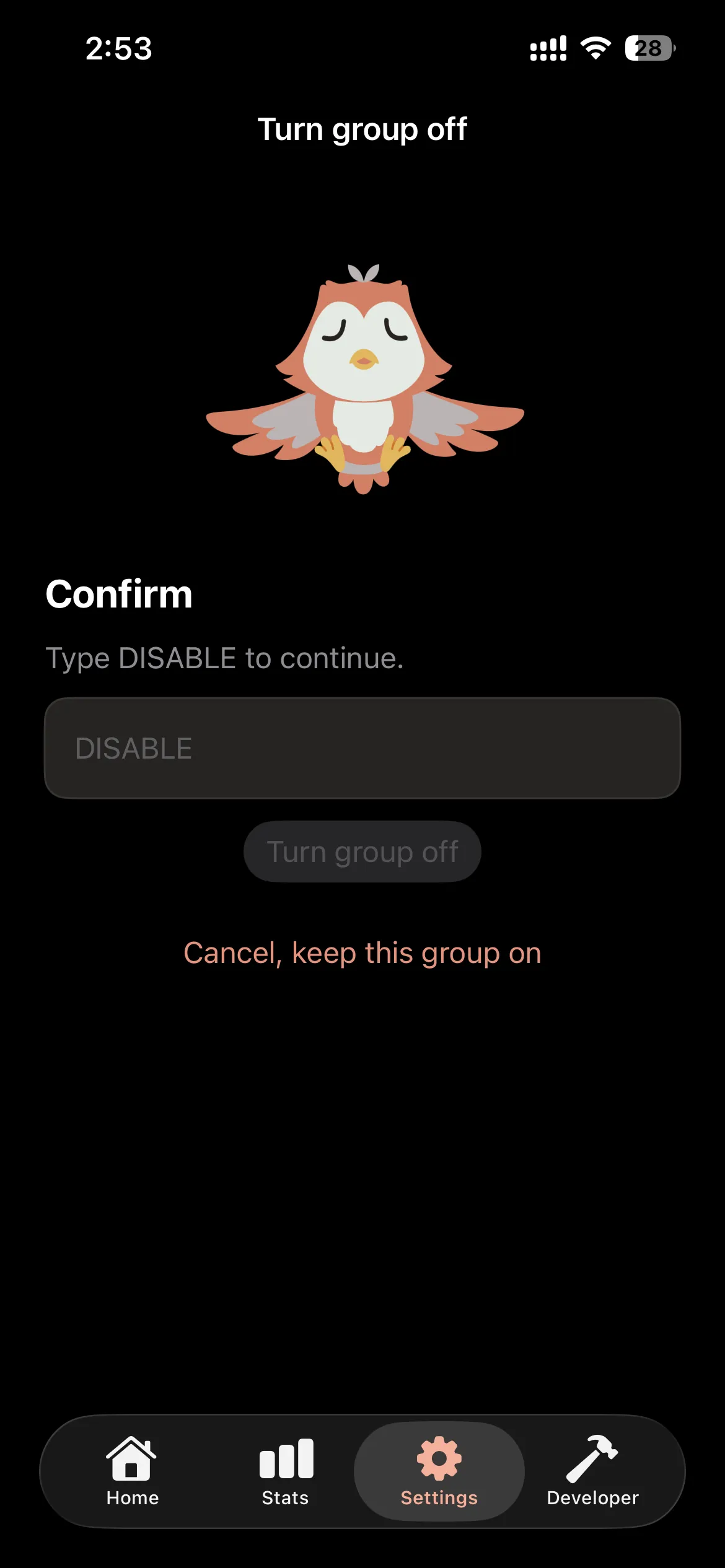
By the time you finish the tedious task, the impulsive urge to scroll has passed, and you can put your phone down.
If you are tired of relying on willpower and want an app blocker that actually holds you accountable, download Manaya today. For a deeper dive into Apple's native features, you can also check out Apple's official Screen Time guide.