
We've all been there. You set a strict 30-minute daily limit for Instagram in your iPhone's Screen Time settings, feeling proud of your commitment to productivity. But the next day, when the dreaded "Time Limit Reached" screen pops up, what do you do?
You tap "Ignore Limit for 15 minutes." And then you do it again. And again.
This is the fundamental flaw of Apple's built-in Screen Time feature: it relies entirely on your willpower in the exact moment when your willpower is at its weakest.
If you are looking for how to block the "Ignore Limit" button on iPhone, or searching for an Apple Screen Time alternative that actually works, you need to rethink the problem. You don't need a stronger lock; you need intentional friction.
Why the "Ignore Limit" Button Exists
Apple designs its software to be user-friendly above all else. They don't want you to be genuinely locked out of your phone in an emergency, or frustrated when you legitimately need to check a message.
Because of this philosophy, the "Ignore Limit" button is front and center. The barrier to bypassing the limit takes less than a second (just a quick tap). The dopamine hit of opening the app completely overpowers the rational side of your brain that set the limit in the first place.
The Problem with the "Screen Time Passcode" Hack
A common workaround people suggest is having a friend or partner set a Screen Time Passcode that you don't know. While this technically works to block the "Ignore Limit" button, it introduces a new set of frustrating problems:
- It's too rigid: What if you legitimately need to use LinkedIn for work, or check a recipe on TikTok? You have to text your partner and wait for them to type in the code.
- It breeds resentment: Being locked out of your own device by a passcode you don't know feels restrictive and annoying, often leading people to just turn the feature off entirely.
The Real Solution: App Opening Delay (Intentional Pause)
To stop bypassing your screen time limits, you need to target the impulse, not just the app.
Instead of an unbreakable wall, you need a moat. This is where "friction apps" or mindful app blockers come in.
Apps like Manaya take a completely different approach to the Screen Time problem. Instead of offering an easy "Ignore Limit" button, Manaya introduces an intentional pause.
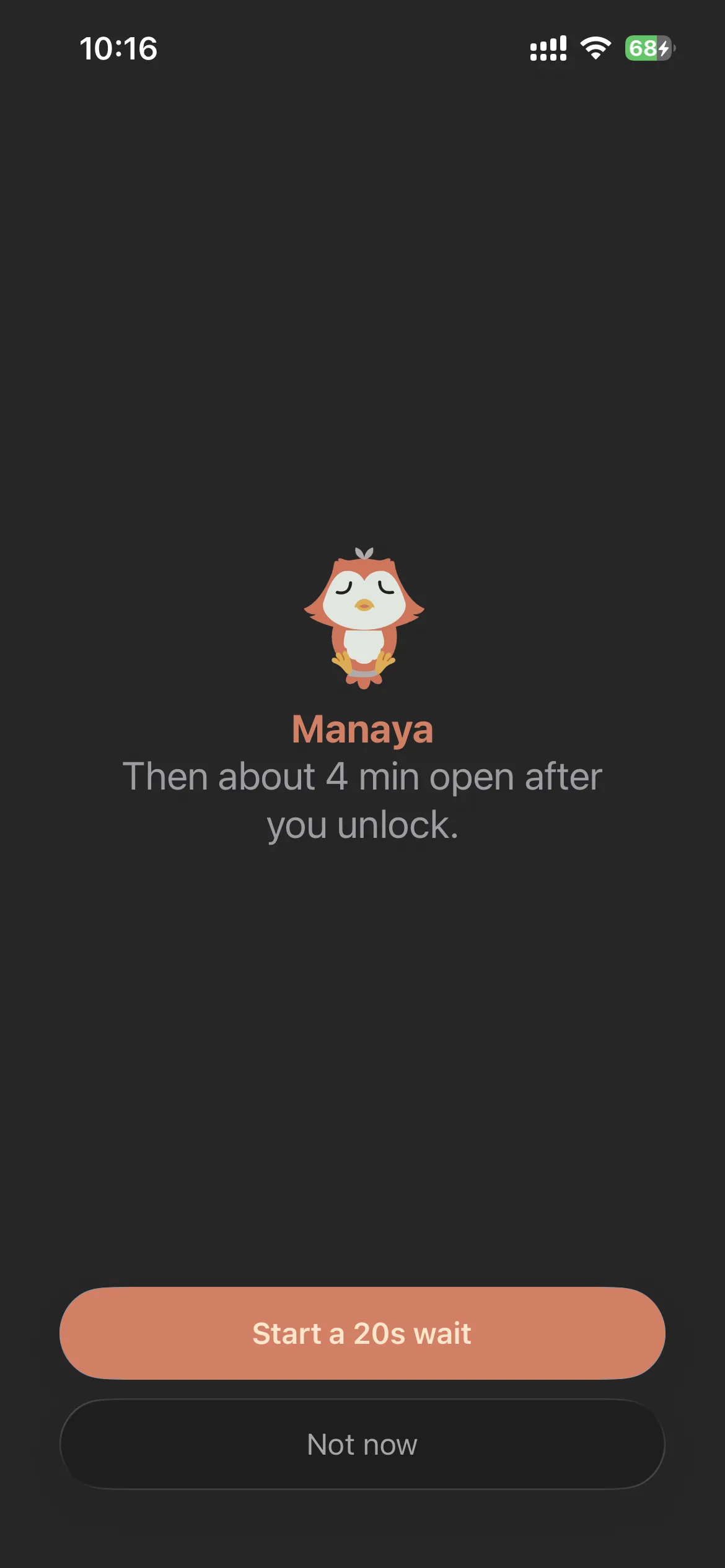
When you try to open a blocked app, Manaya intercepts the tap and forces you to wait. Depending on your settings, this could be:
- A short Wait timer before the app opens, then a brief Open window.
- A stronger Hard plan with a paced task if you try to turn protection off early.
Why this works:
By forcing a delay, the subconscious urge to doomscroll dissipates. That 15-second window is just enough time for your rational brain to catch up and realize, "Wait, I don't actually want to be on Instagram right now." Having Mana (your calming on-screen companion) sit with you during this pause makes the wait feel like self-care rather than a punishment.
Furthermore, you are never truly "locked out." If you legitimately need to use the app, you wait out the timer or complete the Hard early-off path. You retain full control of your device, but the friction makes it too annoying to do casually.
Conclusion
If you want to stop bypassing your screen time limits, you have to stop relying on willpower. Apple's built-in tools are great for tracking usage, but terrible for enforcing behavior change.
By switching to a mindful app blocker like Manaya that uses app opening delays and intentional friction, you can permanently solve the "Ignore Limit" problem and take back control of your attention.