You have probably been here before. You set a Screen Time limit, tell yourself you are done for the night, and put the phone on your nightstand. Ten minutes later, boredom or anxiety kicks in. Your thumb taps the app, your brain barely registers the warning screen, and you tap Ignore Limit for Today.
The fundamental flaw with standard app blockers is that you are the prisoner and the guard. When the urge is loud and your willpower is spent, a self-imposed passcode never holds up.
The only thing that reliably interrupts that loop is social friction: putting another human being between you and the impulse. When opening TikTok or Instagram means asking a real friend to approve it, the autopilot breaks. You pause and ask yourself if you actually want to explain why you are opening the app at 11:45 PM.
Here is how friend approval works on iPhone, how to set it up without giving away your personal data, and what to expect when someone has your back.
Why solo app blockers fail
Most people do not need an app blocker when their motivation is high. You need it when you are exhausted, stressed, or procrastinating on a hard deadline.
During those moments, solo friction crumbles:
- Passcodes become muscle memory: If you set the passcode yourself, you will type it without thinking.
- Ignore Limit is too easy: Apple built native Screen Time as an awareness tool, not a fortress. Bypassing it requires zero effort.
- All-or-nothing locks trigger rebellion: If an app blocker completely locks you out with no release valve, you end up deleting the app or revoking permissions just to send an urgent message.
Accountability works because it changes the emotional equation. You are no longer negotiating with yourself. You are asking someone who wants to see you succeed.
How friend approval works in Manaya
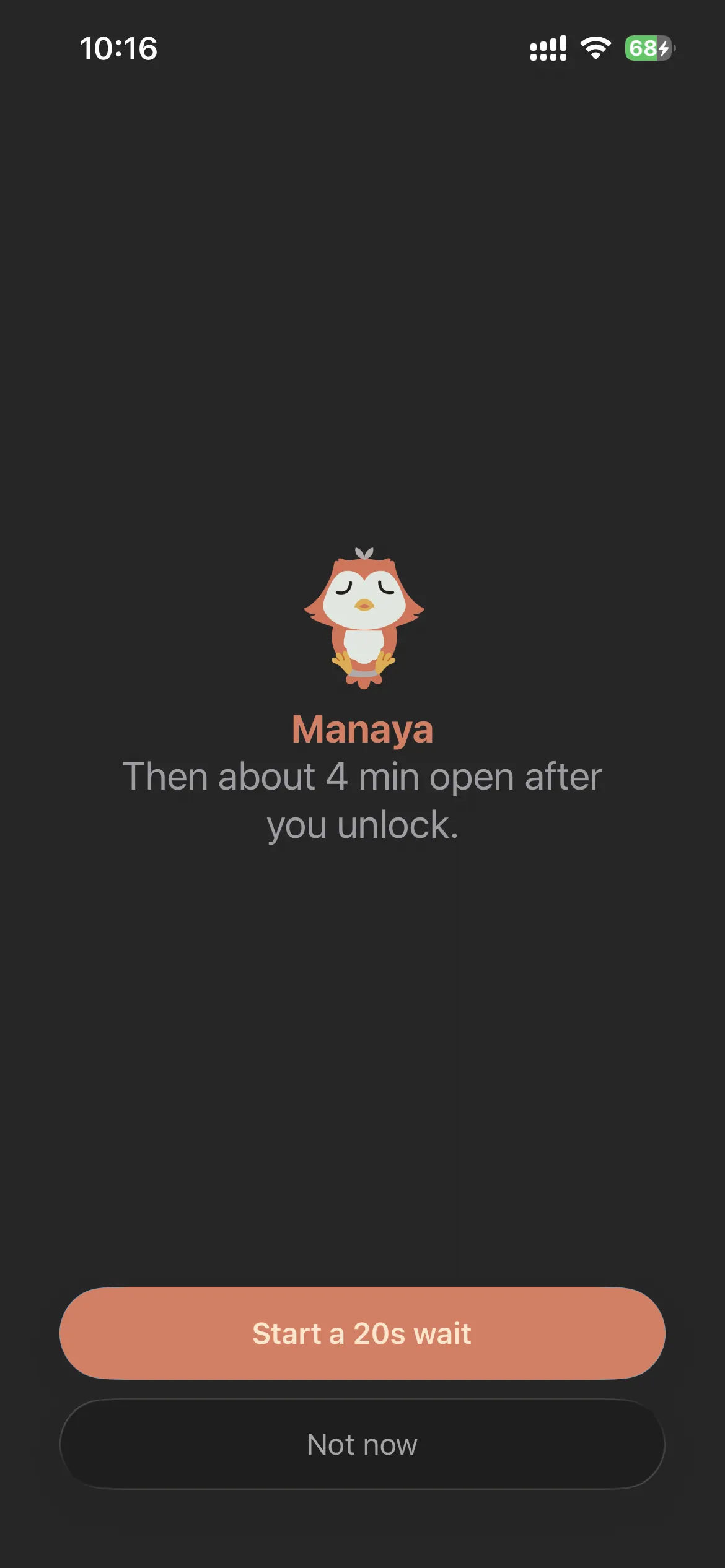
In Manaya, Friends is a dedicated plan you can assign to any protection group.
Instead of relying on a countdown timer or a self-imposed lock, apps in a Friends group stay shielded until a paired friend approves the open.
Here is the flow:
- One pairing code: Each phone generates a unique code stored securely in the iOS Keychain. There is no account to create, no email address to verify, and no password to remember.
- One-way approval: When your friend enters your code, they become an approver for you. They do not have to put their own apps on lock unless they want to share their code with you in return.
- Manual requests: Tapping a shielded app does not send a notification right away. The shield stays up. You only send a request when you open Manaya and deliberately tap the request button.
- A 4-minute window: When your friend approves, the shield lifts for 4 minutes. You get in, reply to the message or check the post, and get out. Once the 4 minutes end, the shield returns automatically.
- Daily open budget: You can receive up to 8 approved opens per day for that group. After that, the group remains locked until local midnight.
Step-by-step: Setting up friend approval
Setting up accountability takes less than two minutes.
1. Open the Friends tab in Manaya
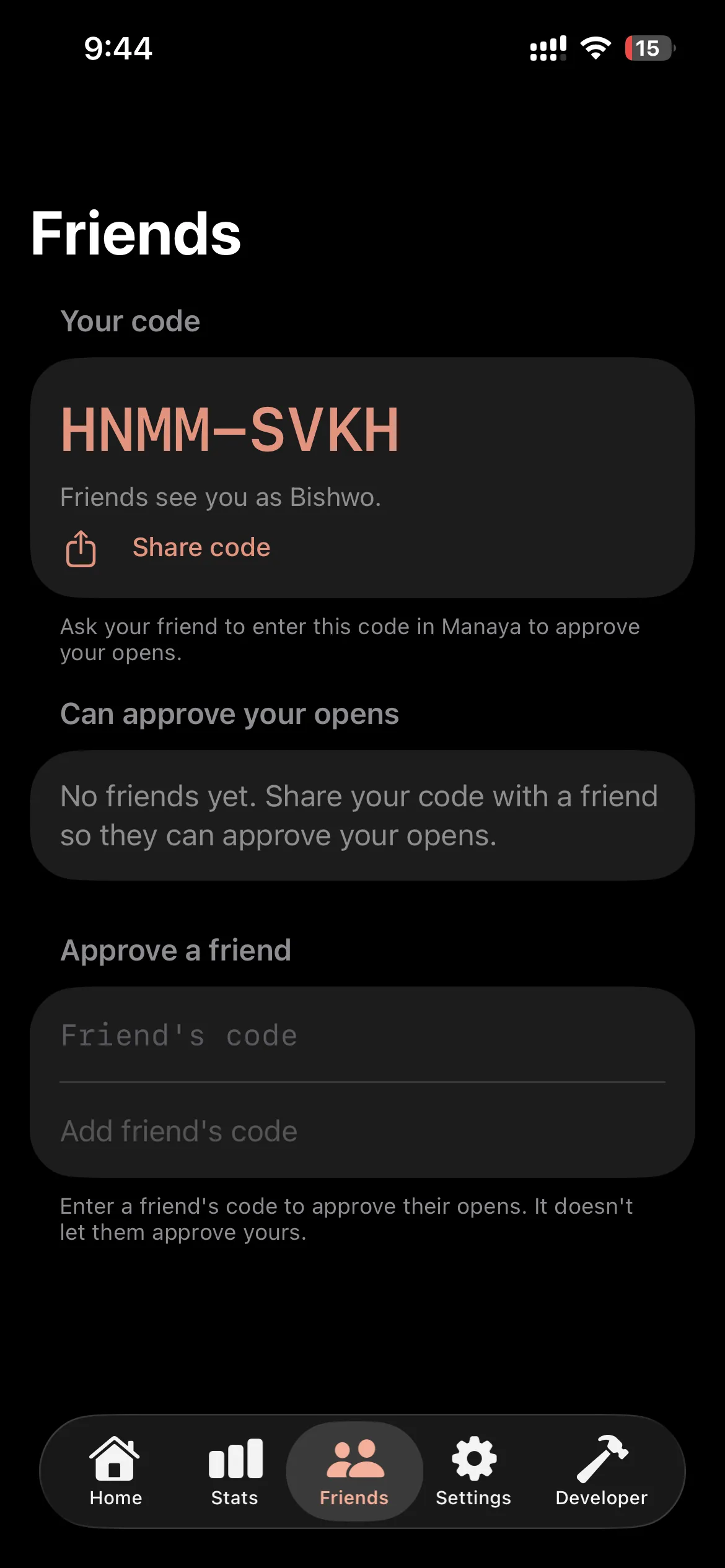
When you open Manaya, tap the Friends tab in the navigation bar. The app will generate your unique pairing code and ask you to type the name your friends will see (for example, "Alex").
This name is only shown on your friend's screen so they know who is asking. It is not a username or a public profile.
2. Share your code with an approver
Tap Share Code or send the code directly to a friend, partner, or sibling who also has Manaya installed.
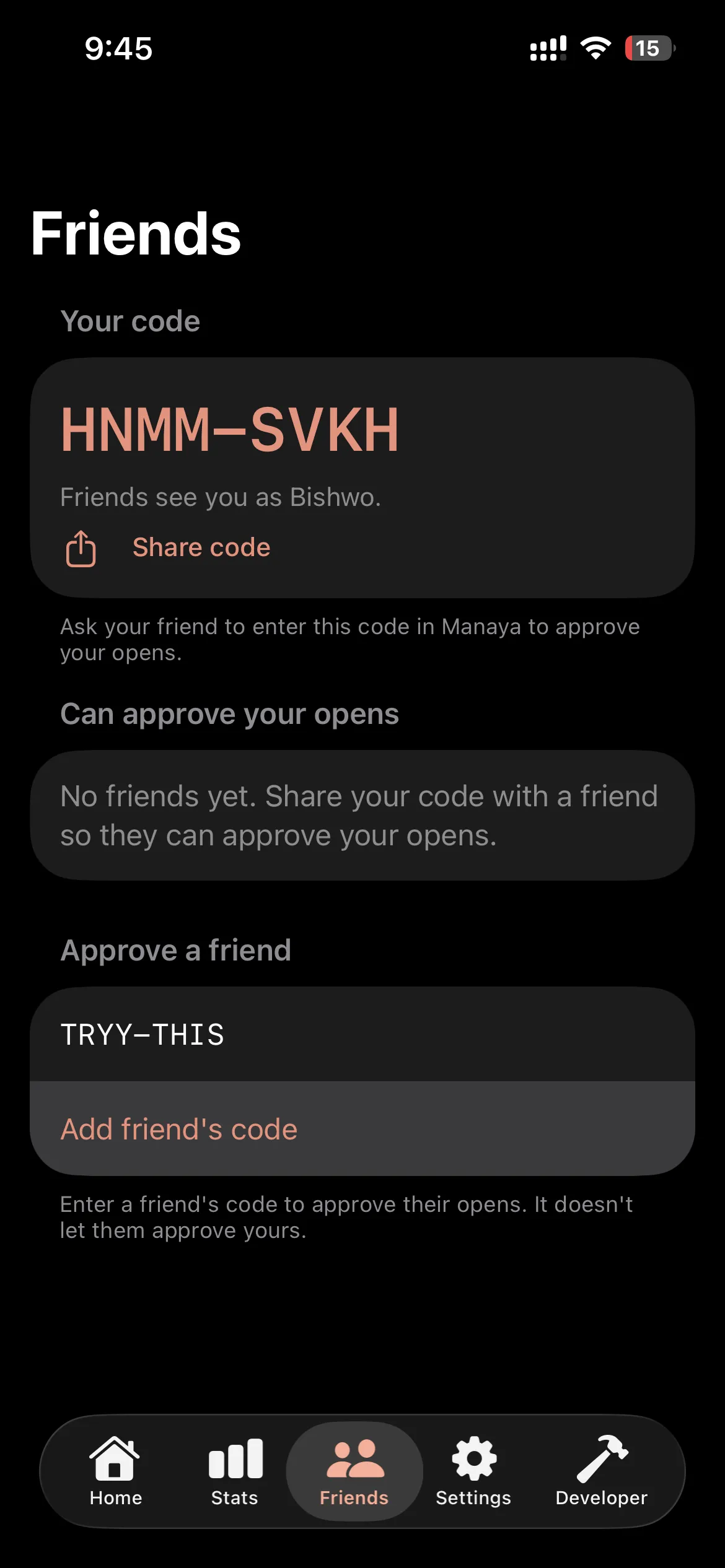
Your friend opens their Friends tab, enters your code under Add friend, and confirms. They are now listed as your approver. You can pair with more than one friend; if you do, your request goes to all of them, and the first person to approve unlocks your window.
3. Put your distracting apps in a Friends group
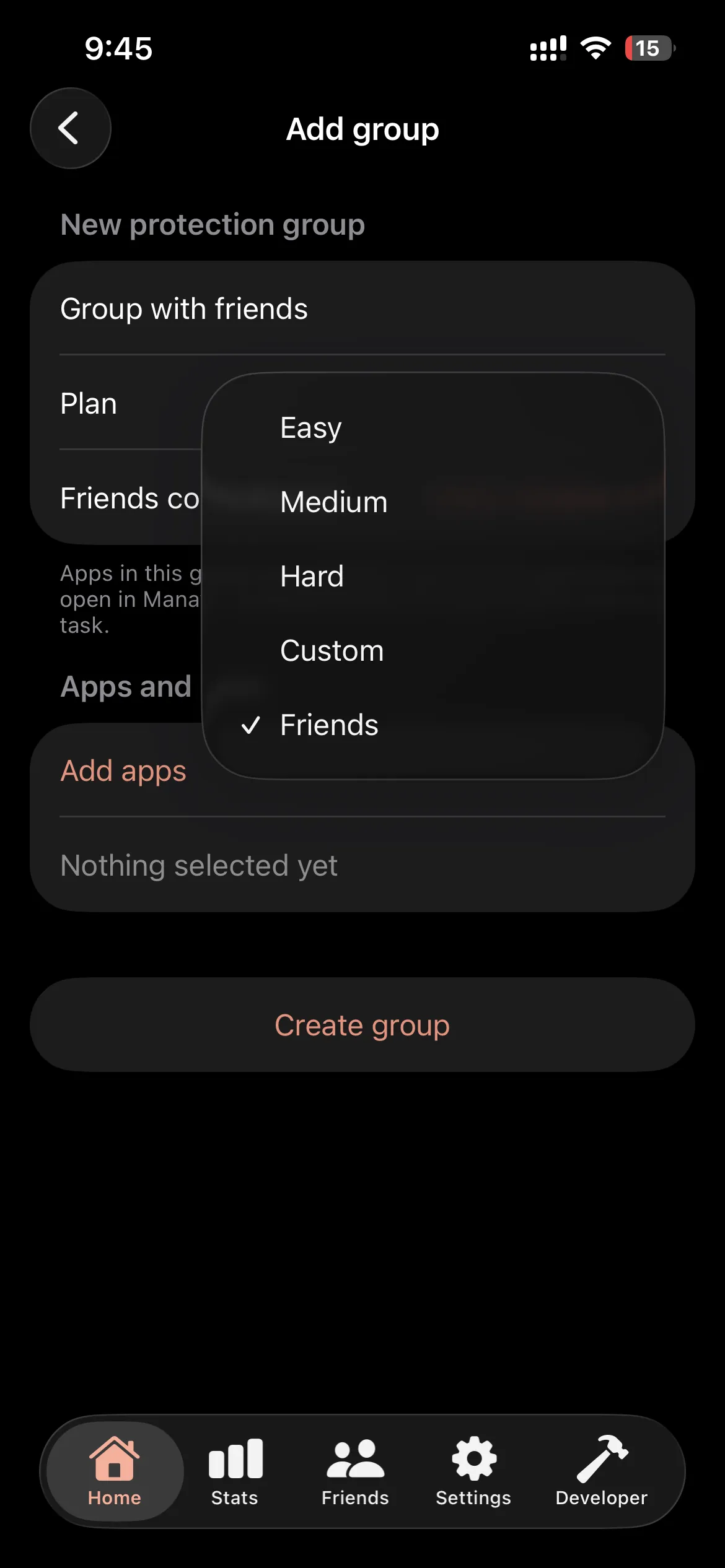
Go to the Home tab, open your protection group (such as "Late Night Social" or "Doomscrolling"), and change the plan to Friends.
You do not have to put your entire phone under friend lock. You can keep work chat on Easy (a light 10-second pause) while putting the apps you lose hours to under Friends.
What happens when you tap a protected app
When you tap an app in a Friends group, Apple's native shield appears. The app stays blocked.
If you decide you genuinely need to open it:
- Open Manaya and tap Ask to open.
- Manaya sends an alert to your paired friends through Apple Push Notifications.
- Your screen updates to show that your request is waiting for an answer.
While waiting, your screen shows the group name and a simple waiting indicator. If you change your mind while waiting, you can simply close Manaya, leave the phone, and let the impulse pass.
What your friend sees (and what stays private)
A common fear with accountability apps is privacy. Does your friend see your screen? Do they know every post you view?
With Manaya, the answer is an emphatic no. Because Manaya uses Apple's official Family Controls framework, iOS represents your apps as opaque system tokens. Third-party developers cannot read your app history or track your browsing activity.
When your friend receives an approval request, their screen shows only:
- Your display name
- The name you gave the protection group (like "Social Feeds")
- The time of the request
- The number of apps in that group (a count, not a list of names)
- How many requests you have sent today
They see two simple buttons: Approve and Deny.
| What Your Friend Sees | What Stays Completely Hidden |
|---|---|
| Your display name ("Alex") | Your Apple ID, phone number, and email |
| Protection group name ("Doomscrolling") | Specific app names (Instagram, TikTok, Reddit) |
| Number of apps in the group (e.g. 3 targets) | Your in-app activity, searches, and DMs |
| Time of request and today's request count | Your usage minutes, daily charts, and streaks |
They do not see app names, usage minutes, streak details, or your other protection groups. If you named your group "Social Feeds" with 3 targets, that is all they see.
What happens after an approval
When your friend taps Approve:
- Your phone receives a silent notification and unlocks the shield.
- A 4-minute Open window begins.
- You open the app, do what you came for, and put the phone down.
Once the 4 minutes expire, the shield returns. If you try to open the app again 20 minutes later, you cannot ride the previous approval. You must send a fresh request.
If your friend taps Deny, or if they simply do not respond, the shield stays up. A denial does not punish your streak, but the app remains blocked. You can choose to send another request later, or let the urge pass.
What if you need to turn the plan off?
Real life happens. Maybe your friend is on an international flight, or you have an emergency that requires immediate access to an app.
You can turn Friends off, but it is intentionally paced. Switching away from Friends or removing your last approver requires completing Hard's deactivation task:
- 3 thoughtful reflection questions
- A mandatory 40-second waiting pause between steps
- Typing the word DISABLE to confirm
That deliberate friction is usually long enough for a mindless impulse to dissolve. If you are in a genuine emergency, Apple's Screen Time settings in iOS always allow you to revoke permissions directly. No honest app can or should promise an unbreakable trapdoor.
Privacy without an account
Most accountability tools require creating an account with your email, password, and phone number, which they use to monetize data or lock features behind cloud sync.
Manaya takes the opposite approach:
- Your data stays on your iPhone: Your protection groups, schedules, streaks, and stats never leave your device.
- Small server scope: The small server only handles what pairing requires: your generated device id, your display name, your pairing code, push tokens, friend links, and active request states.
- No recovery because there is no account: If you get a new phone or reinstall the app, you get a new pairing code and ask your friends to enter it again. There are no passwords to reset.
- No ads, no data broker sales: Your screen time habits are never tracked or sold.
You can read the full details in our Privacy Policy.
Bringing someone into your corner
Breaking a compulsive phone habit with sheer willpower is an uphill battle against thousands of engineers designing apps to keep your attention.
You do not have to fight it alone. Pairing with a friend, partner, or housemate turns an isolating struggle into a shared commitment. The next time you feel the mindless urge to scroll, a single tap lets someone who cares about your time help you protect it.
To get started, download Manaya on the App Store, head to the Friends tab, and share your code. For more details on combining Friends with schedules and pause timers, explore our Plans overview and how protection groups work.