
Most app blockers share the exact same user experience: you accidentally open Instagram, and you are immediately slapped in the face with a bright red screen that screams "BLOCKED."
While this might work for a few days, the psychology behind it is fundamentally flawed. Punishing lock screens induce guilt, annoyance, and frustration. Eventually, you get so sick of looking at the red screen that you just delete the app blocker entirely.
If you want to build long-term focus habits, you don't need a punishment. You need a positive interception.
Here is why finding an app blocker with a customizable blocked screen is the key to finally beating your screen time addiction, and why Manaya is the best tool for the job.
Why Personalization Changes Everything
Behavioral psychology tells us that punishment is a terrible way to build a sustainable habit.
When your brain reaches for your phone to doomscroll, it is looking for a quick hit of dopamine. When an aggressive, uncustomizable app blocker stops you, it creates a spike of cortisol (stress). Your brain begins to associate the app blocker with stress and annoyance.
By personalizing the blocked screen, you change the dynamic from a "punishment" imposed by the app to a "choice" made by you. It gives your logical brain a few seconds to catch up with your impulsive muscle memory.
Decide How Much Friction You Actually Want
Different people need different levels of accountability. A rigid app blocker that treats everyone the same will fail.
When you set up Manaya, you aren't forced into a one-size-fits-all lockdown. You get to decide exactly how much friction you want to experience on your custom block screen:
- Basic Mode: A gentle pause and a deep breath before the app opens.
- Standard Mode: A mandatory cooldown timer.
- Strict Mode: A totally unbypassable lock that even prevents app deletion.
- Custom Mode: Build your own rules, deciding precisely what you have to do to bypass the block.
This flexibility makes Manaya a powerful alternative to extreme blockers like Opal, allowing you to scale the friction to match your specific needs.
Gamifying Your Focus (Meet Mana)
When Manaya intercepts you from opening a distracting app, you aren't greeted by a red warning sign. Instead, you are greeted by Mana, your personal animated owl mascot.
Manaya uses gentle gamification to encourage you to put the phone down. Right on the interception screen, you will see your Daily Streak Flame. Every time you successfully back out of a blocked app and return to the real world, you keep your streak alive and Mana cheers for you.
Instead of feeling guilty for almost slipping up, you feel a sense of accomplishment for walking away. It transforms a moment of failure into a daily victory.
Setting Up Custom Deactivation Tasks (Not Just Edgy Text)
Some app blockers let you customize the text on the block screen, allowing you to write "edgy" or motivational messages to yourself. But simply reading a message isn't enough to break a habit loop. You need interactive friction.
With Manaya's Custom Mode, you can set up a Deactivation Task. If you really need to check a blocked app, Manaya forces you to complete a physical task first.
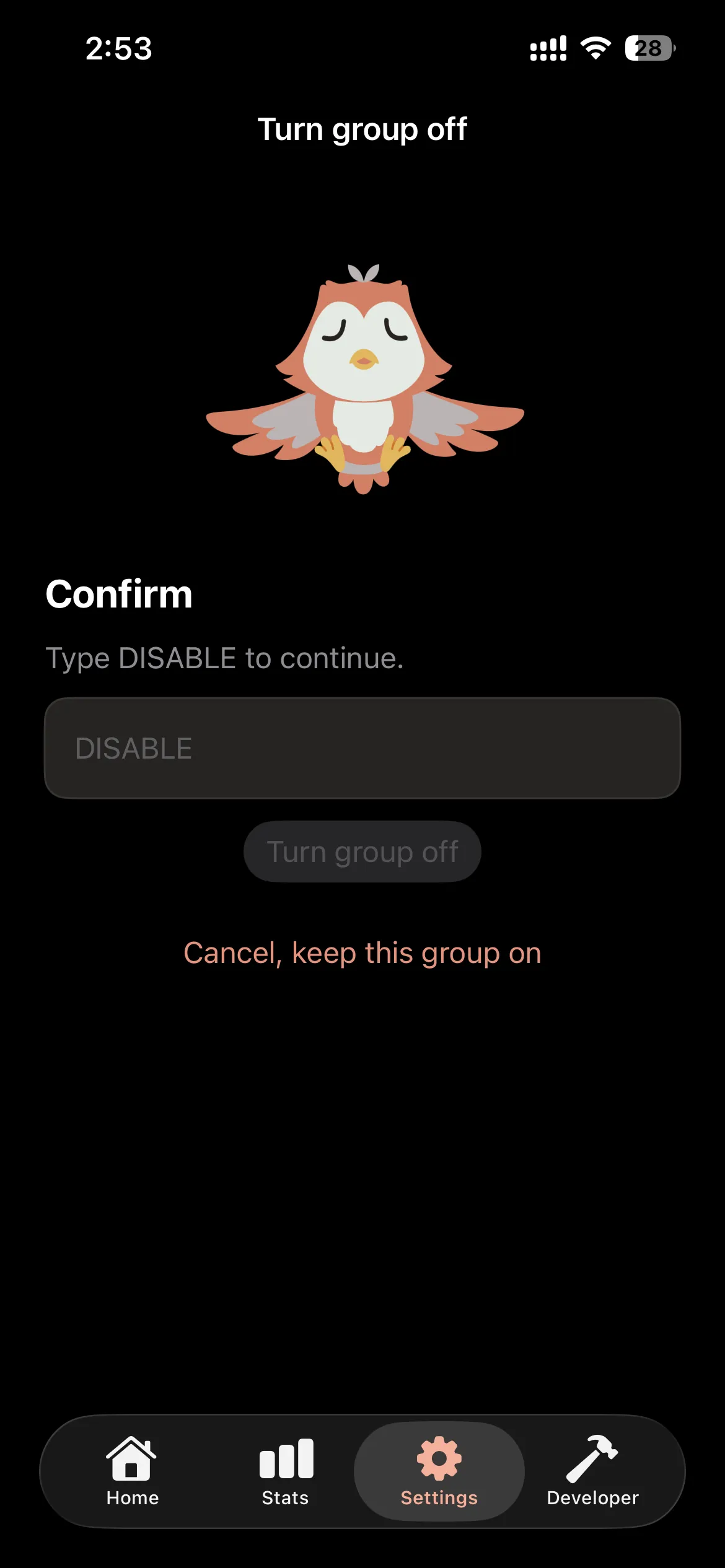
You can configure Manaya to require you to type a specific mindful phrase to open the app. Instead of a standard password, you could set your custom phrase to:
- "I am choosing to doomscroll instead of working."
- "I only need to check this for five minutes."
- "DISABLE"
By the time you finish typing out your custom phrase and wait through the mandatory cooldown timer, the impulsive urge has usually passed. You are no longer acting on autopilot.
How to Set Up Your Custom Block Screen
Setting up a positive interception screen on your iPhone takes less than two minutes:
- Download Manaya from the App Store.
- Grant the app Screen Time permissions so it can securely hide your distracting apps.
- Choose your target apps (like TikTok, Instagram, or Games).
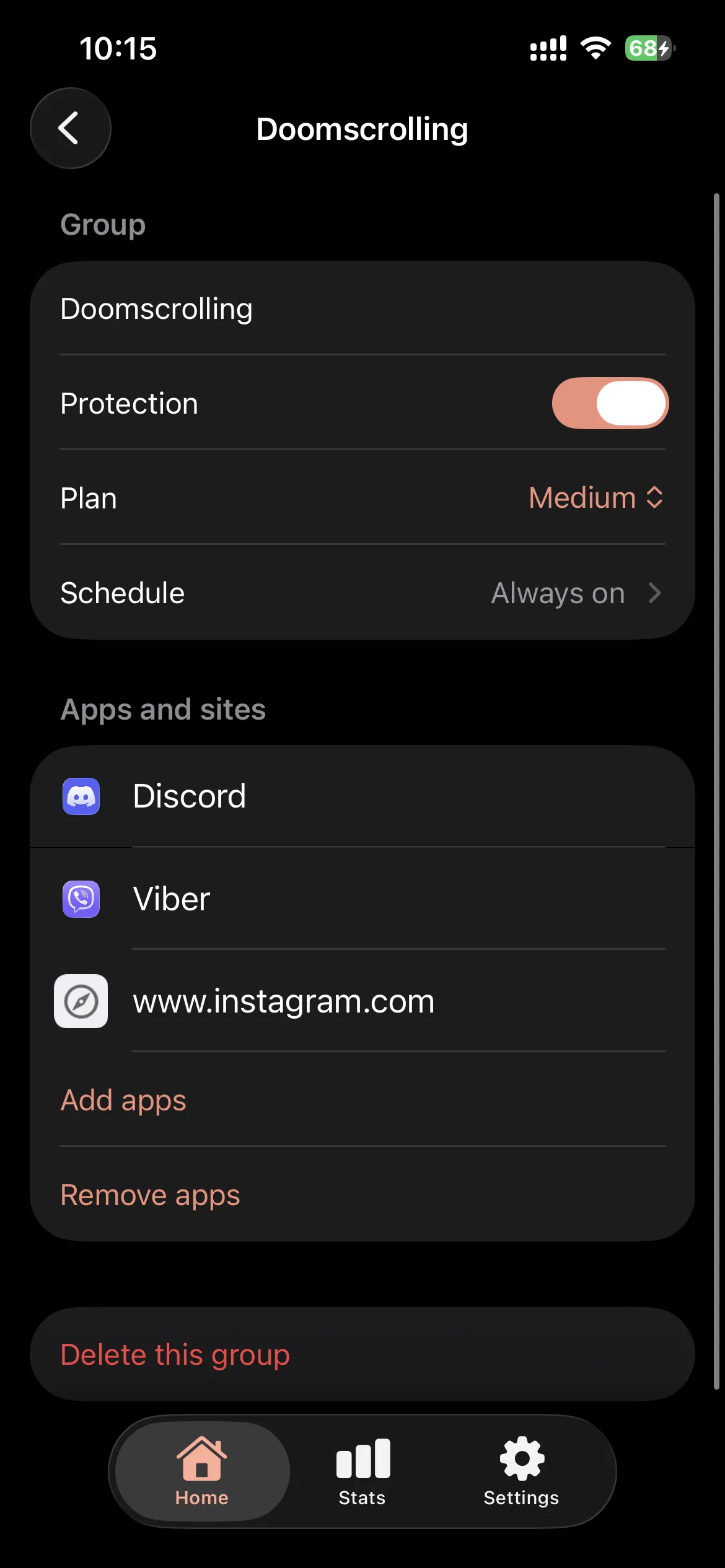
- Select a Custom Plan (or check out how to automatically block apps by category on iPhone for deeper scheduling).
- Choose your custom typed phrase and set your mandatory cooldown timer.
Stop punishing yourself for impulsive habits. Upgrade to a customizable app blocker that actually works with your brain, not against it.