
When you are trying to focus, the last thing you need is an app blocker that breaks the second you lose Wi-Fi. Whether you are traveling, camping, or just trying to disconnect in airplane mode, your digital boundaries should not depend on a server connection.
Despite this, many of the most popular third-party app blockers on the market require a constant internet connection to function properly.
If you are looking for an app blocker for your iPhone that works completely offline, you need to understand why most apps force you online. More importantly, you need to know why choosing a 100% on-device blocker is better for your battery life, your focus, and your privacy.
Why Do Most App Blockers Require an Internet Connection?
Many of the top app blockers on the App Store are built around cloud accounts. They force you to create a login so they can sync your blocking schedules, subscription status, and usage analytics across multiple devices.
If you set up a block schedule on your laptop, the app relies on the cloud to ping your iPhone and update the rules. If you go offline, that sync fails. Furthermore, some legacy app blockers actually use a VPN to block internet access to specific apps. A VPN-based blocker inherently relies on routing your web traffic, which means if your internet drops, the VPN mechanism can fail or act unpredictably.
The Hidden Privacy Risks of Cloud-Based Blockers
If an app blocker requires an internet connection to process your screen time data, you have to ask yourself where that data is going.
To track which apps you open and how long you use them, cloud-based blockers must collect your personal usage habits and send them to a third-party server. According to the Electronic Frontier Foundation (EFF), unnecessary telemetry tracking in mobile apps is a massive privacy risk. Your app usage data can reveal incredibly sensitive details about your life, from your banking habits to your dating preferences.
There is absolutely no technical reason a developer needs to upload your screen time data to their servers just to stop you from opening Instagram.
Manaya: Built for Complete Offline Privacy
If you want an app blocker that respects your privacy and works in the middle of nowhere, you need a tool built specifically for on-device processing.
Manaya was engineered to run 100% locally on your iPhone. It does not require you to create an account, it does not sync your data to the cloud, and it never phones home to check your schedule.
Manaya achieves this by integrating directly with Apple's native Family Controls API. Because the blocking engine is handled directly by iOS, Manaya can enforce strict, unbypassable app blocking without ever needing to route your data through a server. Your screen time habits never leave your physical device.
Battery Life Benefits of On-Device Blocking
Beyond privacy, offline app blockers offer a massive performance benefit: battery life.
Cloud-based blockers and VPN-based blockers constantly run background processes to check in with servers or monitor network traffic. This background activity can quietly drain your battery throughout the day.
Because Manaya uses Apple's native frameworks offline, it does not need to constantly wake up your phone's antenna to verify your blocking schedule. The rules are baked into the operating system locally, preserving your battery for when you actually need it.
How to Disconnect and Set Up Your Offline Block
Setting up a secure, offline block on your iPhone takes less than two minutes:
- Download Manaya from the App Store. No account creation required.
- Grant the necessary Screen Time permissions (which are securely managed on your device).
- Create a Protection Group and select the apps you want to block.
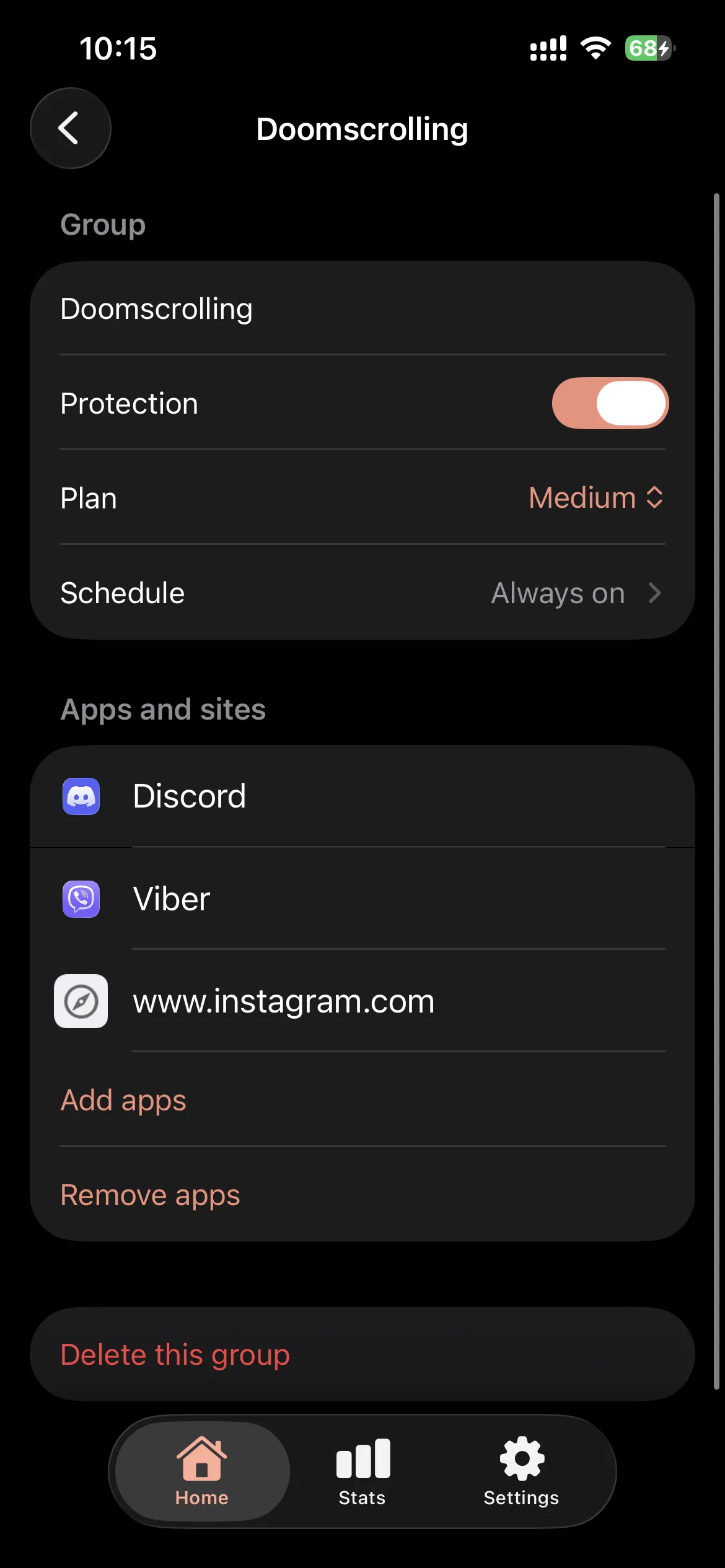
- Set your schedule. Once the schedule is saved, it is locked into your iPhone's local memory. You can turn on Airplane Mode, drive into the mountains, or lose your cellular signal, and the block will remain flawlessly active.
If you are tired of bloated apps that track your data and fail when you go offline, switch to an alternative app blocker that respects your privacy. Upgrade to a completely offline, on-device solution today.