
Years ago, if you wanted deep, system-level control over which apps you could open on your iPhone, you had to resort to "jailbreaking" your device. Jailbreaking bypassed Apple's security restrictions, allowing third-party software to block or modify other apps.
However, jailbreaking comes with massive security risks, voids your warranty, and is generally no longer supported on modern iOS versions.
Today, you do not need to hack your phone to stop yourself from doomscrolling. Apple has opened up its native Screen Time API, meaning there are now completely safe, built-in, and free tools to restrict app usage right on your smartphone.
How to block apps on iPhone without jailbreaking
Because Apple now provides official frameworks (like Family Controls) for managing device usage, you can block apps at the operating system level. When an app is blocked this way, it cannot be bypassed by simply force-closing the app or restarting your phone.
The best part? You have a few built-in, completely free tools already installed on your iPhone.
Free tools to restrict app usage on your smartphone
If you are looking for free tools to restrict your app usage, you should start with what iOS provides out of the box before downloading any third-party software.
Apple Screen Time (iOS built-in)
The most robust free tool on your iPhone is Screen Time. You can find it by going to Settings > Screen Time.
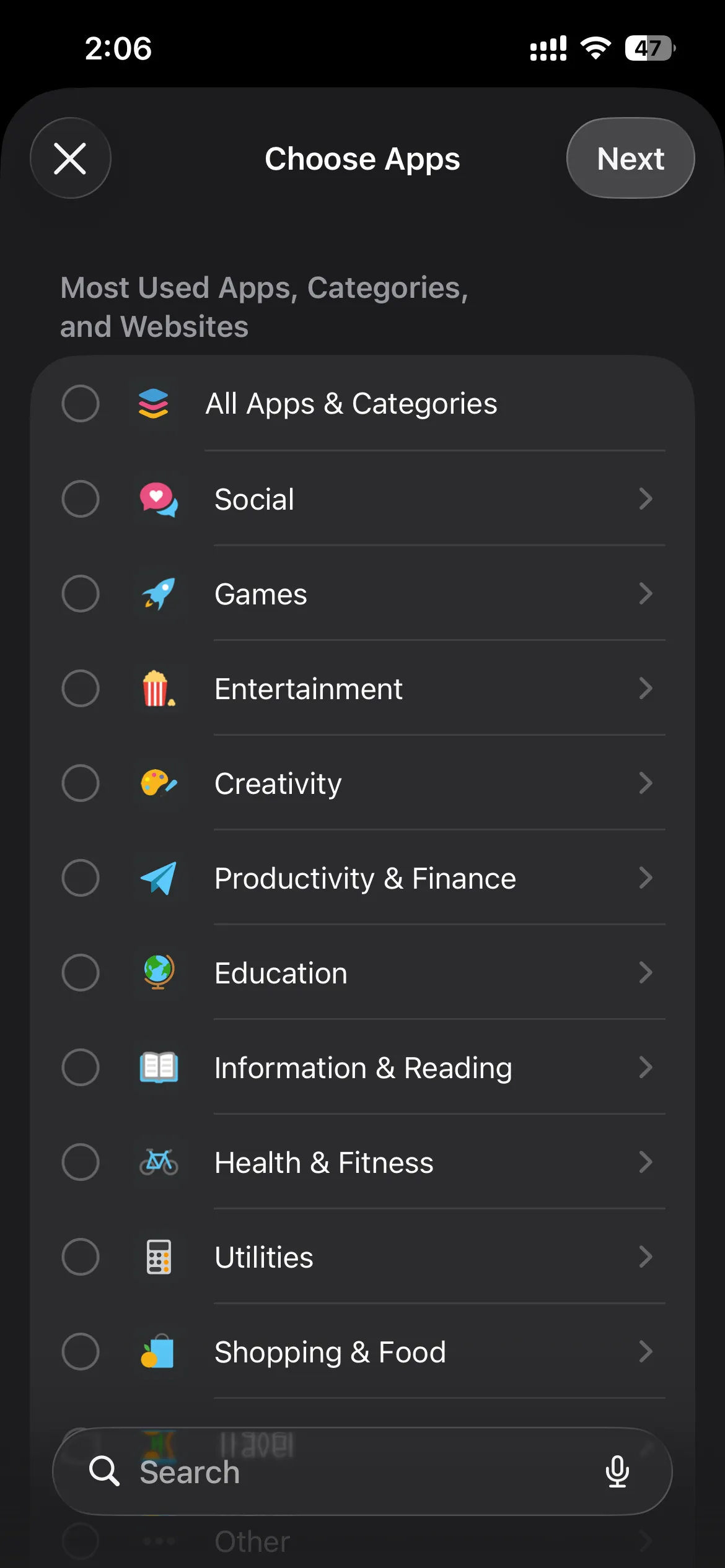
Screen Time offers several ways to restrict your app usage:
- App Limits: You can set a daily time limit for specific apps or entire categories (like Social or Games). Once the limit is reached, the app is blocked.
- Downtime: You can set a daily schedule where your phone is locked down, and only explicitly allowed apps (like Phone or Messages) can be opened.
- Content & Privacy Restrictions: For extreme measures, you can use this section to completely disable the installation of new apps or hide built-in apps like Safari.
Focus Modes
Another free, built-in tool is Focus Modes. Found under Settings > Focus, this feature is less about "blocking" apps and more about hiding them.
You can set up a "Work Focus" that hides your social media home screen pages and silences all notifications from distracting apps. While you can still search for the app in your App Library, removing the visual trigger from your home screen is a great, free way to reduce mindless tapping.
Why free tools often fail to stop doomscrolling
While Apple's free tools are a great starting point, they were originally designed for parental controls—not for adults trying to manage their own digital habits.
If you are using Screen Time to block Instagram, you already know the fatal flaw: the "Ignore Limit" button. When your App Limit kicks in, Apple presents a prompt that allows you to simply tap "Ignore Limit for 15 minutes."
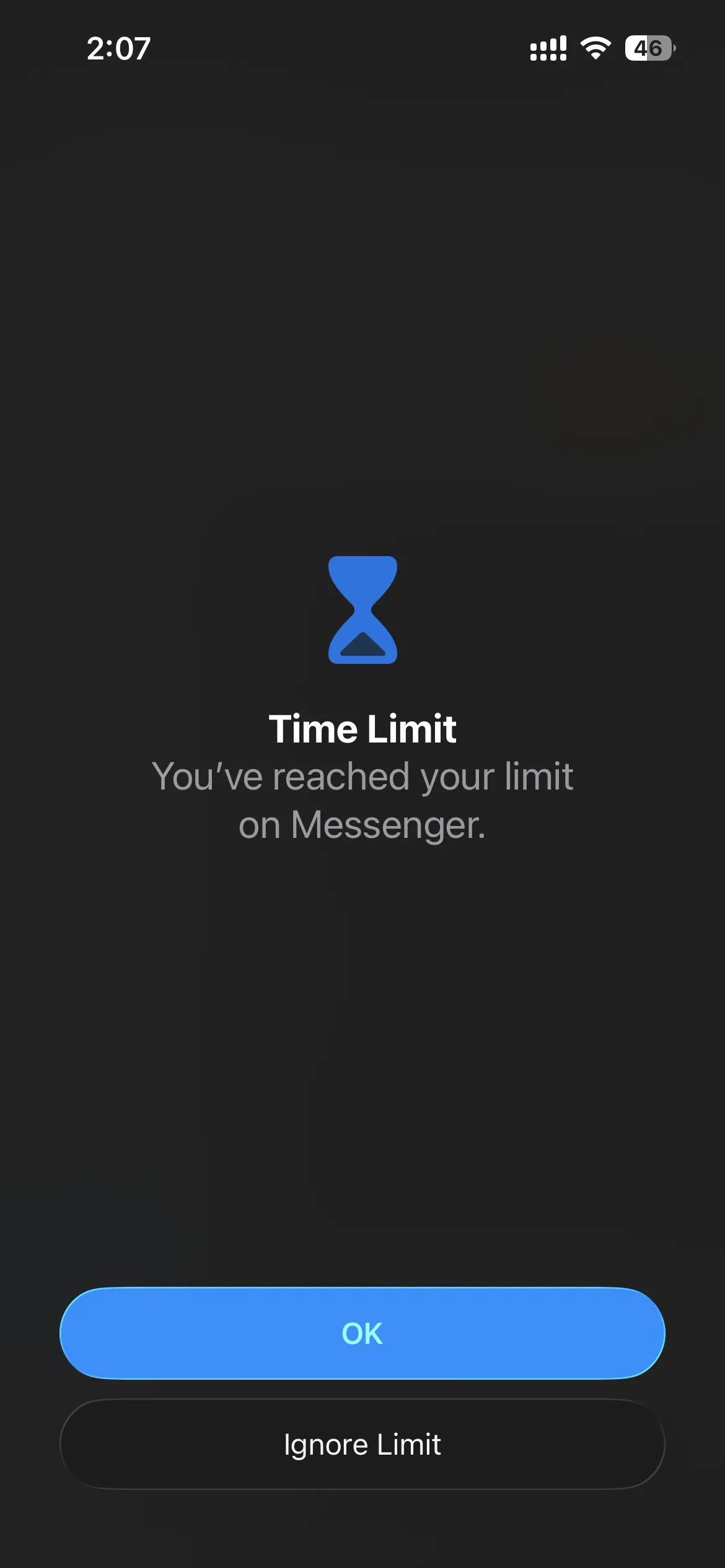
Because there is zero friction, your brain will often tap that button on autopilot, entirely defeating the purpose of the block. Standard screen time limits don't work if you have the key to your own lock.
Upgrading to a dedicated app blocker (Manaya)
If the free tools aren't enough to break your scrolling habit, it might be time to upgrade to a tool built specifically for intentional friction.
Manaya is a native iOS app blocker that uses the exact same safe, non-jailbreak Apple APIs as Screen Time, but it removes the easy escape routes.
Instead of a simple "Ignore Limit" button, Manaya forces you to pause. Depending on how you configure your Protection Groups, you can introduce:
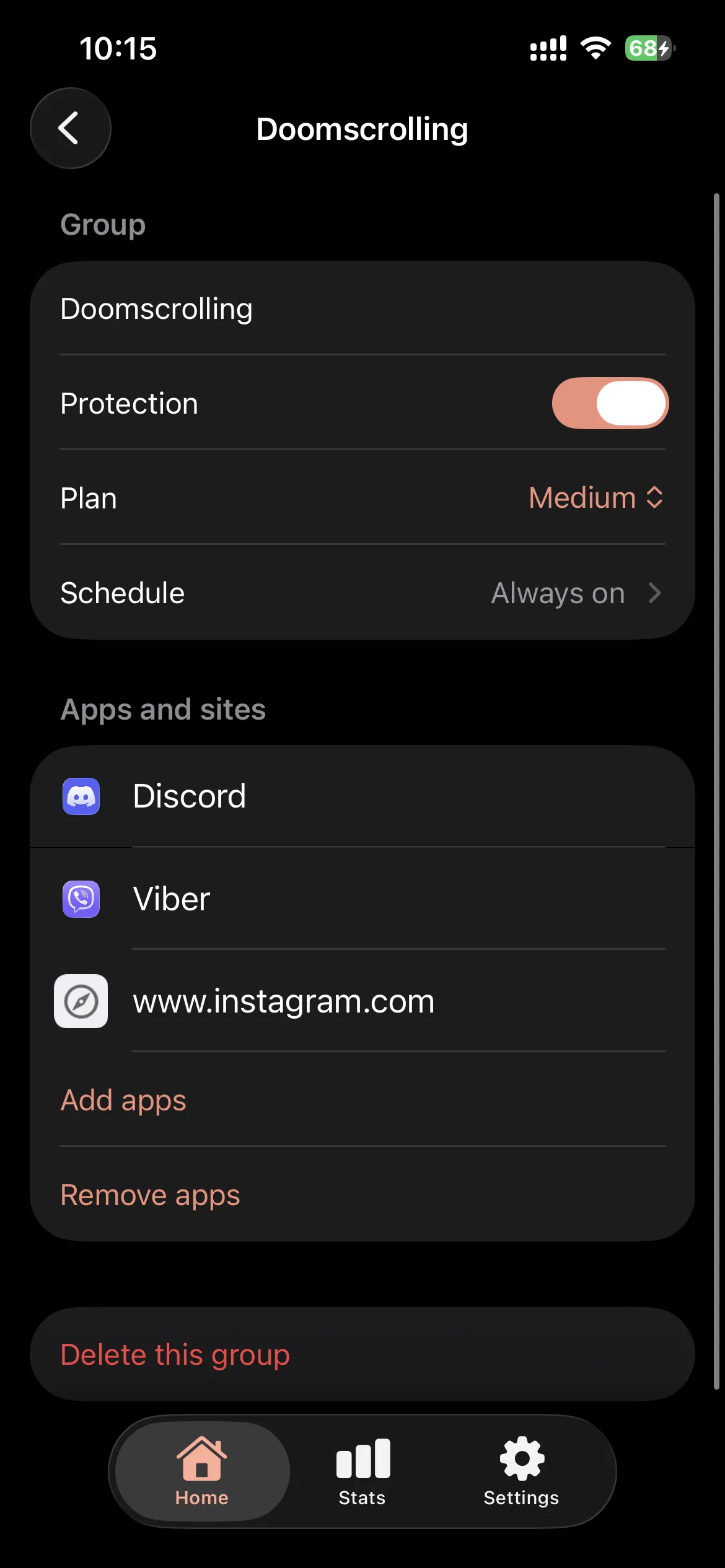
- Mandatory Wait Times: Forcing you to wait before an app opens, killing the instant dopamine loop.
- Open windows: A short usable window after Wait, then the shield returns.
- Commitment Locks: Strict Hard blocks that require a paced deactivation task to turn off early.
You do not need to jailbreak your iPhone to take back control of your time. Start with Apple's free tools, and if you need something stricter, try Manaya today.